You are not logged in.
- Topics: Active | Unanswered
#1 2026-06-08 15:09:32
- Sine
- Member
- Registered: 2026-06-08
- Posts: 2
[SOLVED] Low Quality Fonts in QT applications
I'm using Wayland.
I'm having problems with getting fonts to properly display in QT Applications.
Above the line is waybar (a non-QT application), below the bar is Sioyek (a QT application).

What I've tried so far:
env = QT_AUTO_SCREEN_SCALE_FACTOR,1
env = QT_ENABLE_HIGHDPI_SCALING,1
env = QT_QPA_PLATFORM,wayland
in my hyprland.conf.
Setting things like hinting, antialiasing and big number DPI's in ~/.Xresources
setting QT_SCALE_FACTOR and QT_FONT_DPI
...and probably several other half-assed solutions I found on the wiki that didn't work.
Last edited by Sine (2026-06-09 12:41:03)
Offline
#2 2026-06-08 18:32:57
- seth
- Member

- From: Won't reply 2 private help req
- Registered: 2012-09-03
- Posts: 77,008
Re: [SOLVED] Low Quality Fonts in QT applications
Is this a https://wiki.archlinux.org/title/Waylan … plications client? (Looks upscaled)
Also Sioyek seems to be a Qt5 pdf reader - what about some basic Qt6 client (you can test https://aur.archlinux.org/packages/qarma-git )
Offline
#3 2026-06-08 22:27:03
- Sine
- Member
- Registered: 2026-06-08
- Posts: 2
Re: [SOLVED] Low Quality Fonts in QT applications
It seems I didn't restart my machine before. After doing so, I've gotten the following results:
1)
If the following is in my hyprland.conf:
env = QT_QPA_PLATFORM,waylandthen Sioyek just doesn't start with the following message:
$  sioyek
qt.qpa.plugin: Could not find the Qt platform plugin "wayland" in ""
This application failed to start because no Qt platform plugin could be initialized. Reinstalling the application may fix this problem.

Available platform plugins are: xcb.

[1]    6737 abort (core dumped)  sioyek
If I set it back to xcb, as the error message says, then it starts, but gives that janky font.
2)
When running with xcb, it is indeed an xwayland application client.
3)
Here's a screenshot of qarma with QT_QPA_PLATFORM=wayland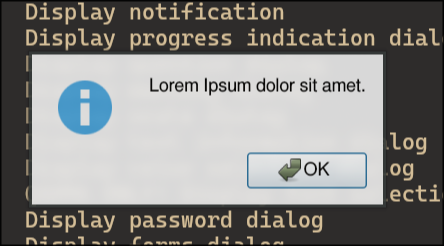
Here's qarma with QT_QPA_PLATFORM=xcb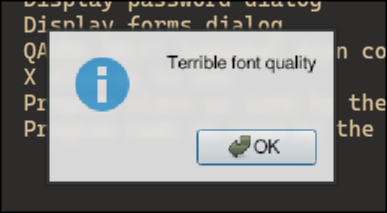
Offline
#4 2026-06-09 06:52:33
- seth
- Member
- From: Won't reply 2 private help req
- Registered: 2012-09-03
- Posts: 77,008
Re: [SOLVED] Low Quality Fonts in QT applications
So it's xwayland upscaling - I assume sioyek comes precompiled or bundled w/ some Qt version?
Either way, you'll have to disable that https://wiki.hypr.land/Configuring/Adva … i-xwayland and the set the Qt environment or xrdb/x11 dpi
Offline